
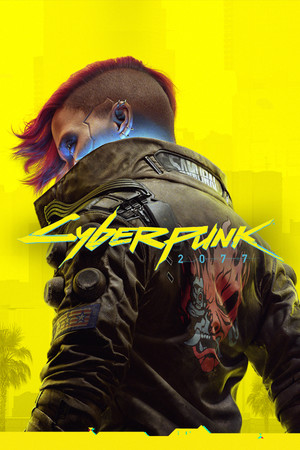
Cyberpunk 2077
Cover art © its publisher, shown for identification and served by Steam
Artwork: CD Projekt RED · Public domain · Wikimedia Commons ↗
Default
Source: StrategyWiki, CC BY-SA 4.0 · Up to date as of 04.08.2026
Imported automatically A machine read this scheme off an external page, so it can be inaccurate, incomplete, or cover only a part of the controls. If you know how it really works, we would be very grateful for your own version, and our tools make it quick: clone another scheme, start from a genre template, or let us read it off your screenshots.
Exploration and Combat
| Move | ↑ W A S D ← ↓ → |
| Jump | |
| Sprint (hold) | hold Shift |
| Sprint (toggle) | |
| Walking (toggle) | G |
| Crouch (hold) | hold Ctrl |
| Crouch (toggle) | C |
| Cycle weapon | Alt |
| Holster/unholster weapon | B |
| Select first weapon | 1 |
| Select second weapon | 2 |
| Select third weapon | 3 |
| Fist/melee | 4 |
| Shoot | |
| Aim | |
| Quick attack | Q |
| Reload | R |
| Cyberware systems | E |
| Use combat gadget | |
| Use consumable | X |
| Scan (hold) | hold |
| Scan (toggle) | |
| Open phone | T |
| Open notifications | Z |
| Skip dialogue | C |
| Open photo mode | N |
| Open main menu | I |
| Open map | M |
| Open journal | J |
| Open character tab | P |
| Open crafting tab | K |
| Open inventory | O |
| Primary interaction | F |
Braindance
| Pause braindance | |
| Fast-forward braindance | E |
| Rewind braindance | Q |
| Change braindance layer | |
| Analysis mode | |
| Restart braindance | R |
| Exit braindance | X |
Vehicle
| Accelerate | W |
| Brake | S |
| Turn left | A |
| Turn right | D |
| Cycle camera | Q |
| Reverse camera | |
| Exit vehicle | F |
| Cycle lights | Alt |
| Handbrake | |
| Horn | E |
| Radio | R |
| Panzer: primary cannon | |
| Panzer: missile launcher | |
| Panzer: smokescreen | Ctrl |
| Call vehicle | V |
Know a better scheme? Add your own version.
Sign in to add a scheme