
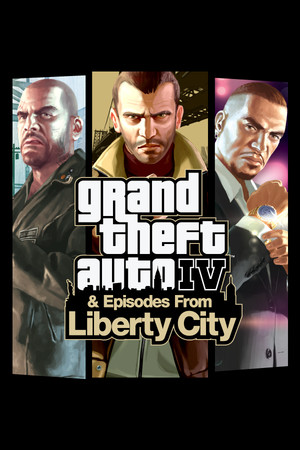
Grand Theft Auto IV
Cover art © its publisher, shown for identification and served by Steam
Artwork: Rockstar जतना छ · Public domain · Wikimedia Commons ↗
Default
Source: StrategyWiki, CC BY-SA 4.0 · Up to date as of 06.08.2026
Imported automatically A machine read this scheme off an external page, so it can be inaccurate, incomplete, or cover only a part of the controls. If you know how it really works, we would be very grateful for your own version, and our tools make it quick: clone another scheme, start from a genre template, or let us read it off your screenshots.
Front end
| Pause menu | Esc |
| Highlight | ↑ W A S D ← ↓ → |
| Highlight (alternate) | |
| Back | Esc |
| Apply changes / Restore defaults | |
| Accept (mouse) | |
| Place waypoint | |
| Grab and drag map | hold |
On foot
| Pick up / Action | E |
| Movement | ↑ W A S D ← ↓ → |
| Run (hold) / Sprint (tap) | |
| Jump / Climb | |
| Crouch | Ctrl |
| Attack / Fire weapon | |
| Free aim | |
| Melee lock-on | |
| Enter/Exit vehicle / Mount ladder | F |
| Enter/Exit cover | Q |
| Reload | R |
| Detonate |
Helicopter
| Shoot | |
| Shoot secondary | |
| Throttle up | W |
| Throttle down | S |
| Pitch forward | Num 8 |
| Pitch backward | Num 2 |
| Bank | A or D |
| Rotate | Num 4 + Num 6 |
| Rotate camera | hold |
Weapons
| Unarmed | 1 |
| Melee | 2 |
| Handgun | 3 |
| Shotgun | 4 |
| Submachine gun | 5 |
| Automatic rifle | 6 |
| Sniper rifle | 7 |
| Heavy weapon | 8 |
| Grenade / Molotov | 9 |
| Special | 0 |
General
| Take phone out | |
| Phone highlight | |
| Radar zoom / Show scoreboard (in multiplayer) | T |
| Look behind | C |
| Change camera mode | V |
| Definition toggle | P |
| Text chat team | U |
| Text chat all | Y |
| Clip capture | F2 |
In vehicle
| Accelerate | W |
| Brake / Reverse | S |
| Steer | A or D |
| Lean forward | |
| Lean backward | Ctrl |
| Handbrake | |
| Fire weapon / Use police computer (when stopped) | |
| Free aim | |
| Next weapon | Q |
| Previous weapon | Z |
| Horn / Engage slow motion while in cinematic camera | G |
| Drop weapon (GTA race only) | R |
| Headlights | H |
| Look behind | C |
| Cinematic camera | |
| Hotwire 1 | W |
| Hotwire 2 | S |
| Turn off radio | X |
| Previous song | B |
| Next song | N |
Combat
| Punch 1 | |
| Punch 2 | R |
| Kick (while locked-on) | Q |
| Block (while locked-on) |
Know a better scheme? Add your own version.
Sign in to add a scheme