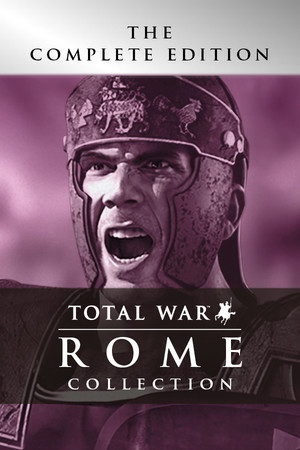
Rome: Total War
Cover art © its publisher, shown for identification and served by Steam
Keyboard
Source: Video Game Keyboard Database by Michael Horvath, CC BY-SA 3.0 · Up to date as of 02.07.2021
Imported automatically A machine read this scheme off an external page, so it can be inaccurate, incomplete, or cover only a part of the controls. If you know how it really works, we would be very grateful for your own version, and our tools make it quick: clone another scheme, start from a genre template, or let us read it off your screenshots.
Selection
| Select Group 1-10 | 1 – 9 or 0 |
| Group/ Ungroup | G |
| Deselect All |
Movement
| Cluster Together | - |
| Spread Out | = |
| Toggle Run/Walk | R |
| Rotate Clockwise | , |
| Rotate Counterclockwise | . |
Chat
| Send Message | T |
Camera
| Pan Left | or Num 4 |
| Focus on General /Home | Home |
| Focus on Unit | End |
| Pan Forward | or Num 8 |
| Pan Backward | or Num 2 |
| Pan Right | or Num 6 |
| Zoom Out | Num / |
| Zoom In | Num * |
| Tilt Down | Num - |
| Tilt Up | Num + |
General
| Form 1 | + 1 |
| Assign 1-10 | Ctrl + 1 or Ctrl + 2 or Ctrl + 3 or Ctrl + 4 or Ctrl + 5 or Ctrl + 6 or Ctrl + 7 or Ctrl + 8 or Ctrl + 9 or Ctrl + 0 |
| Form 2 | + 2 |
| Form 3 | + 3 |
| Form 4 | + 4 |
| Form 5 | + 5 |
| Form 6 | + 6 |
| Form 7 | + 7 |
| Form 8 | + 8 |
| Select Infantry | Ctrl + I |
| Select All | Ctrl + A |
| Quick Save | Ctrl + S |
| Select Melee | Ctrl + H |
| Quick Load | Ctrl + ; |
| Select Cavalry | Ctrl + C |
| Select Artillery | Ctrl + B |
| Select Ranged | Ctrl + M |
Combat/Actions
| Cancel Orders | ⌫ |
| Fire at Will | A |
| Skirmish Mode | S |
| Guard Mode | D |
| Special Ability | F |
| Tight Formation | C |
Game Controls
| Pause Game | P |
| Show Stored Waypoints | or Shift |
| Show Movement Destinations / Game Speed + | |
| Options Screen | Esc |
| Help Screen | F1 |
Know a better scheme? Add your own version.
Sign in to add a scheme